Pico Meet • Legal
Delete Account Information
Pico Meet allows you to request permanent deletion of your account. Once your account is deleted, associated account data will be permanently removed according to our retention process and cannot be restored after final deletion.
What happens when you delete your account?
- Your Pico Meet account will be permanently deleted
- Your profile information and authentication credentials will be removed or disabled
- Your meeting history, personal settings, contacts, and notifications may be deleted
- Your chat messages, shared files, and recordings may be deleted where they are linked only to your account
- Organization-owned meeting data may remain under the organization’s control where legally or contractually required
- Some records may be retained temporarily for security, billing, fraud prevention, legal, or backup purposes
How to delete your account
You can delete your account directly from the Pico Meet app:
- Open Pico Meet
- Go to Profile or Account Settings
- Select Delete Account
- Review the warning message carefully
- Confirm deletion when prompted
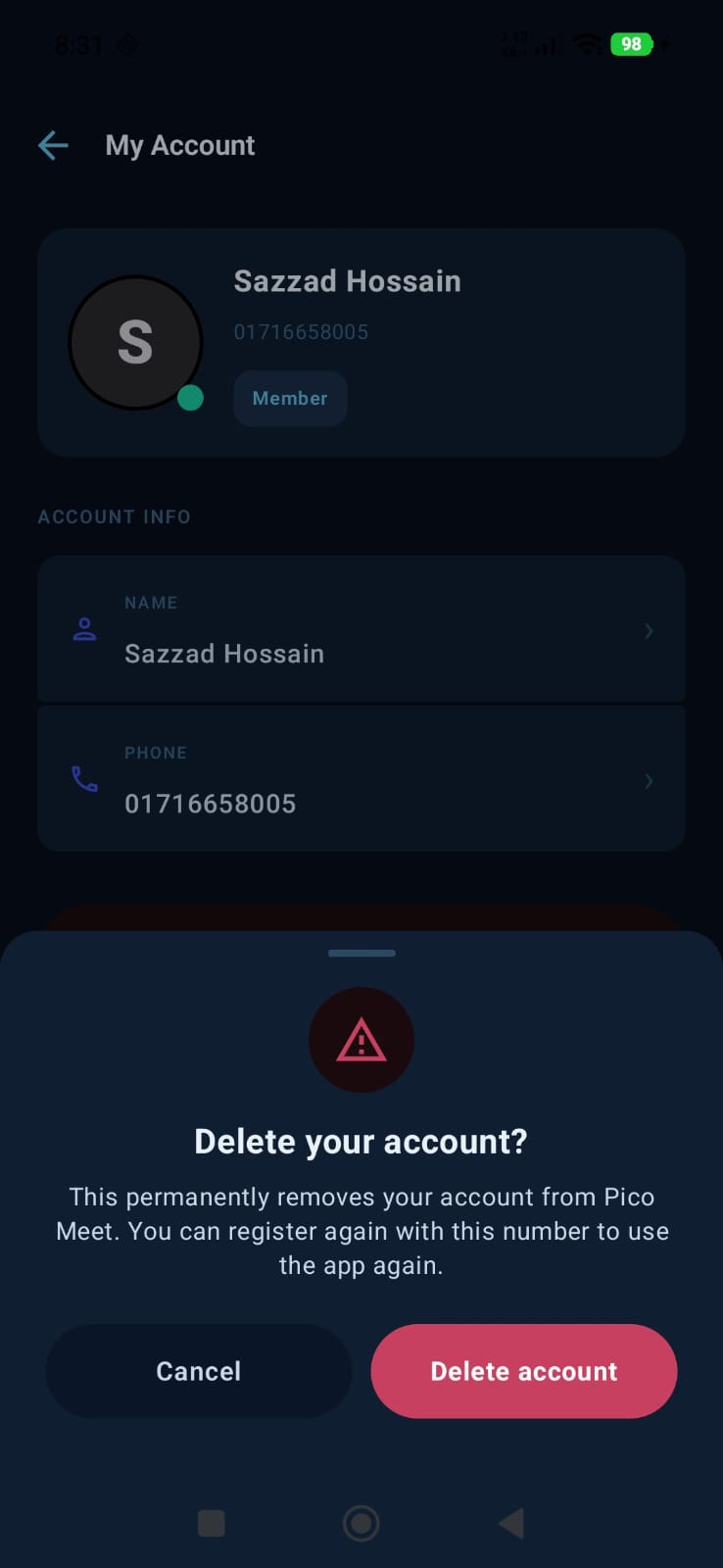
In-app confirmation screen
Before your account deletion request is submitted, Pico Meet shows a confirmation screen so you can review the action carefully.
Alternative deletion request
If you cannot access the app, you may request account deletion by contacting support from your registered email address or phone number.
Email: support@picosoftltd.com
Important note
Account deletion is permanent after final processing. Pico Meet cannot restore your account or deleted data after the deletion process is completed.