Delete Account Information
Pico Talk allows you to delete your account. Account deletion takes effect instantly. When you delete your account, your phone number and your Pico cloud contacts are permanently removed and cannot be restored.
Your chat messages and group chat history are kept. If you later register again with the same phone number, your chats and group chats are restored to that account.
What happens when you delete your account?
Account deletion is instant. The following data is permanently deleted:
- Your phone number used to sign in
- Your contacts synced to the Pico cloud
- Your profile photo (avatar)
Your device contacts are not affected. Deleting your account only removes the contacts stored in the Pico cloud. The contacts saved on your phone are device-specific, not stored in the cloud, and remain on your device.
The following data is retained on our servers:
- Your chat messages and group chat history are kept. If you register again with the same phone number, they are restored to that account
Because phone numbers and contact information are encrypted in our database, we do not hold identifiable details that let us tell whose chats are whose. We do not record or store the audio or video content of your calls.
How to delete your account
You can delete your account directly from the Pico Talk app:
- Open Pico Talk
- Go to Profile or Account Settings
- Select Delete Account
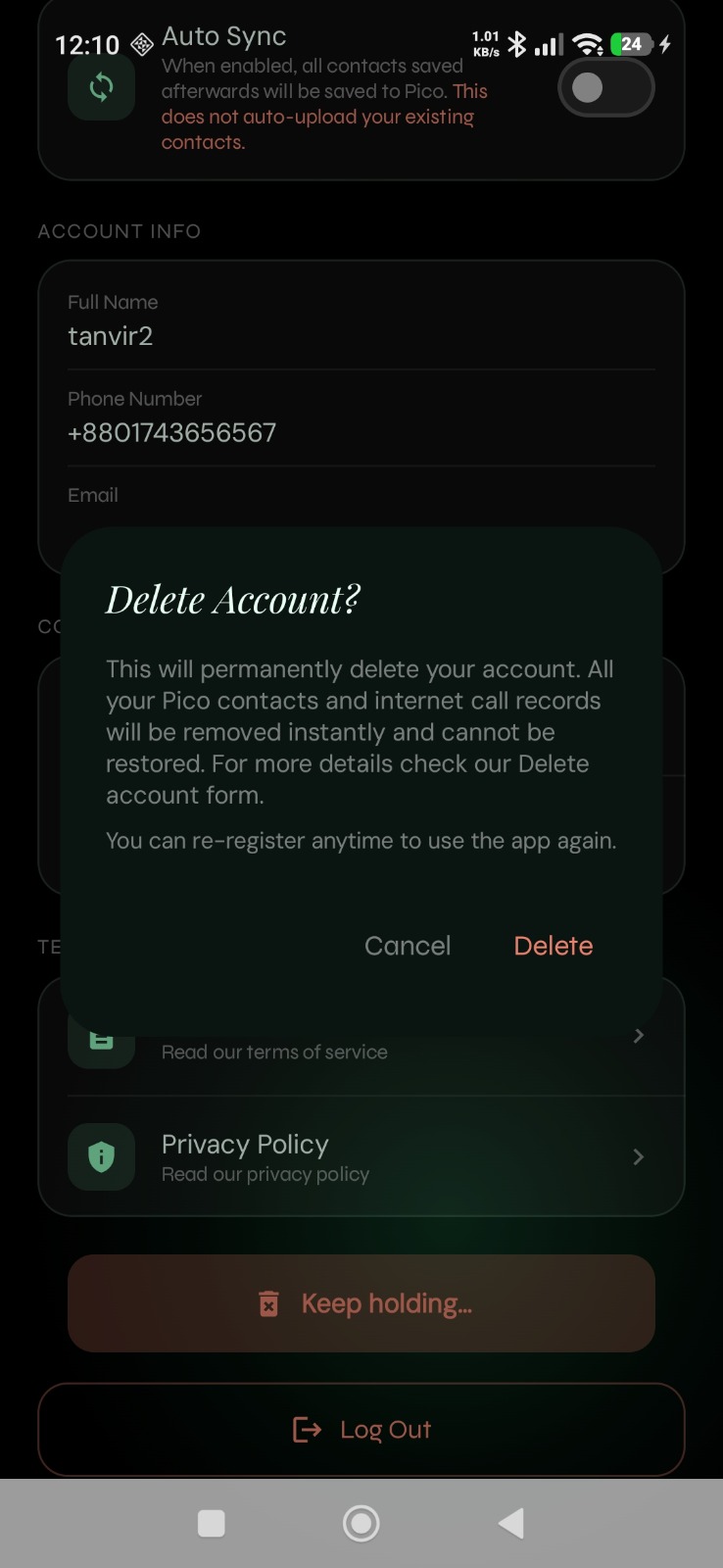
- Review the warning message carefully
- Confirm deletion when prompted
In-app confirmation screen
Before your account deletion request is submitted, Pico Talk shows a confirmation screen so you can review the action carefully.
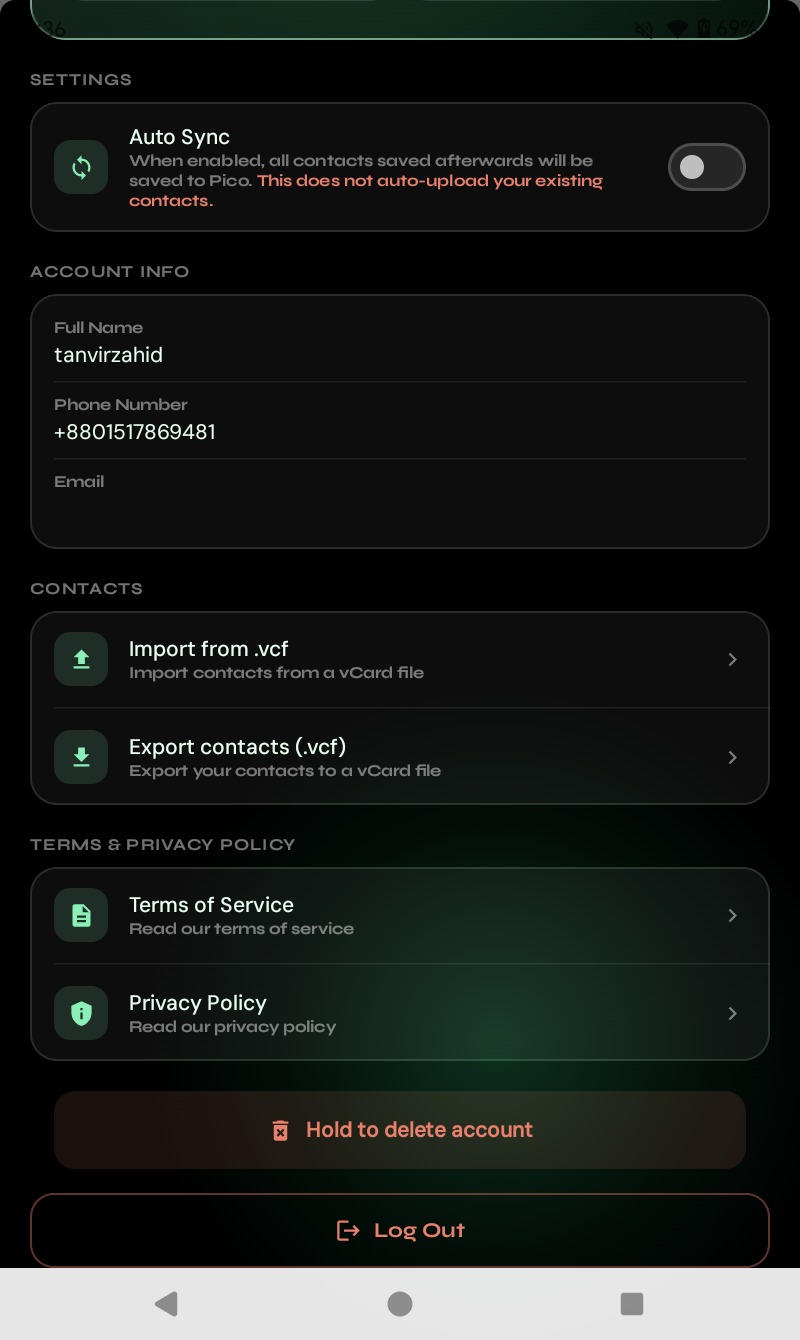
Delete account screen
The screenshot below shows where to find the Delete Account option in the app.
Alternative deletion request
If you cannot access the app, you may request account deletion by contacting support from your registered email address or phone number.
Email: info@picosoftltd.com
Important note
Account deletion takes effect instantly. Your phone number, Pico cloud contacts, and avatar are permanently removed and cannot be restored. Your chat and group chat history is kept and can be restored only if you register again with the same phone number. However, the chats and group chats are de-idenfiable since our numbers are all encrpted.